Dictaphone to Text: A Complete Offline Transcription Workflow
Move MP3, WAV, or M4A recordings from a digital recorder to iPhone or iPad, transcribe them on-device, review key details, and export useful text without uploading the audio.
Updated
Key takeaways
- Keep an untouched original before preparing a copy for transcription.
- Recording quality and microphone placement usually matter more than changing models.
- On-device processing reduces third-party transfers but still requires secure file handling.
What a complete dictaphone workflow must solve
A recorder captures long sessions reliably, but the audio becomes useful only when it is searchable and editable. A dependable workflow covers four stages: transfer the source file, transcribe it locally, verify names and decisions against the recording, then export it in a format suited to the next tool. Sensitive interviews and meetings benefit from removing the cloud-upload step.
Export MP3, WAV, or M4A from the recorder
Copy files through USB, a card reader, or the recorder app and preserve a read-only original. WAV retains more source information, M4A balances quality and size, and MP3 offers broad compatibility. Avoid repeated lossy conversion: it can make quiet speech, overlapping speakers, and specialist terms harder to recognize.
- Confirm the full file plays and has the expected duration
- Back up the original recording
- Use sortable names with date, project, and speaker
Transcribe offline on iPhone or iPad
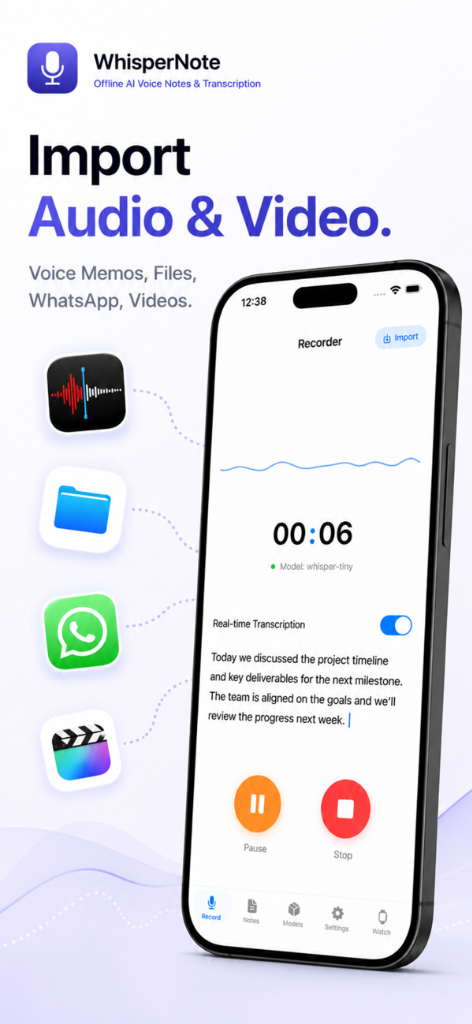
Open the share sheet in Files or Voice Memos and send the recording to Whisper Notes. Choose a model that supports the spoken language, keep long jobs in the foreground, and connect power when possible. After processing, sample the beginning, middle, and end before detailed editing so language or truncation problems are caught early.
Improve transcription accuracy before editing
Signal quality has the largest practical effect. Place the recorder near the main speaker, avoid fans and table vibration, and reduce people talking over one another. During review, prioritize names, numbers, dates, negations, and decisions. Legal, medical, and research material requires comparison with the original audio rather than blind trust in generated text.
Choose an export format for the next step
Use Markdown for notes and writing, SRT for timed captions, OPML for structured outlines, and PDF for fixed sharing or archiving. Add the title, date, participants, and keywords before export. Offline transcription controls the processing route; device access, backups, exported copies, and sharing permissions still need their own safeguards.
Frequently asked questions
Can very long dictaphone recordings be transcribed offline?
Yes, subject to available storage, memory, battery, and model limits. Keep the device powered, leave the app in the foreground, and confirm enough space exists for the model, audio, and result.
Is WAV always more accurate than MP3 or M4A?
WAV usually preserves more source information, but microphone distance, noise, echo, and overlapping speech have a much larger effect. A well-recorded high-quality M4A is often sufficient.
Does offline transcription guarantee complete security?
No. It avoids uploading audio to a transcription provider, but device access, backups, exports, and sharing permissions must still be protected.