Whisper Notes for Mac: Import, Offline Transcription, and Timestamps
Set up Whisper Notes on Mac, import long recordings, choose a local model, verify text against timestamps, and export the result into an open workflow.
Updated
Key takeaways
- Mac offers sustained performance and memory for long files and batch local transcription.
- Timestamps reduce review from replaying an entire file to checking the exact uncertain segment.
- Import, model selection, review, and open export form one complete workflow.
Why transcription benefits from a Mac workflow
Phones are ideal for capture; Mac is better suited to long meetings, lectures, interviews, and video assets. A larger display supports side-by-side text and audio review, while sustained power and cooling improve batch inference. A useful desktop design reduces friction across import, model choice, search, timestamp playback, correction, and delivery.
Install safely and prepare local models
Download from the official source and verify Developer ID signing and Apple notarization. Grant file and microphone access only for features that need them; system-wide dictation separately requires Accessibility permission. Download models for the relevant languages in advance and confirm local operation by completing a new transcription without network access.
Import audio and start transcription
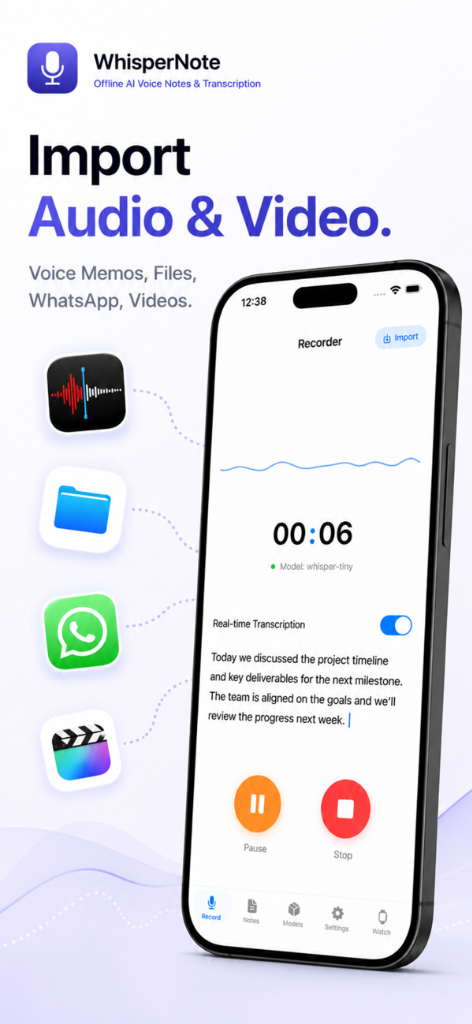
Import MP3, M4A, or WAV, verify duration and language, and preserve the original file. Split multi-hour material at natural boundaries to reduce retry cost. Save the selected model and version with the result. Speed depends on chip, memory, runtime, model, and audio, so a benchmark without those conditions is not a guarantee.
Review efficiently with timestamps
Search for names, brands, money, and dates, then jump to the associated audio. Mark uncertainty rather than guessing from context. Speaker identification is a separate problem from speech recognition and may require manual labels. Keep an untouched machine transcript when editing a cleaned meeting note so evidence remains traceable.
Export into the rest of your toolchain
Choose Markdown for writing and knowledge bases, SRT for captions, OPML for outlines, and PDF for fixed sharing. Include dates and versions in filenames and remove unnecessary personal data before sharing. Open formats preserve portability if the application or workflow changes later.
Frequently asked questions
Can Whisper Notes for Mac transcribe without internet?
Yes, after the selected local model has been downloaded. Initial model downloads and application updates still require connectivity.
How long a recording can the Mac app process?
Long recordings are possible, but limits depend on memory, disk, power, and model. Splitting multi-hour files improves recovery and review.
Why are timestamps important?
They connect generated text to the exact source audio so names, numbers, quotations, and uncertain segments can be verified quickly.